

Download Windows Installer (Windows 95/98/Me) – Windows Installer, Windows 95, Windows 98, Windows Me, system tools, software installation, application management, Windows 2000, Microsoft
Overview
Windows Installer (Windows 95/98/Me) is a foundational system tool developed by Microsoft, designed to streamline the installation, configuration, and management of software applications across multiple legacy Windows platforms. Released in 1999, this utility was introduced as a redistributable component for Windows 95, 98, ME, and Windows NT 4.0, and also integrated into Windows 2000. Its primary purpose is to ensure consistent, reliable, and error-reduced software deployment by centralizing installation logic and system state tracking. This service addresses long-standing challenges in the pre-2000 era, where manual installations often led to registry corruption, missing dependencies, and software conflicts.
The target users include system administrators, software developers, and IT professionals managing legacy environments. It is particularly relevant in scenarios involving enterprise rollouts, software testing, or maintaining older systems that still rely on classic Windows architectures. While no specific user demographics were provided, its design reflects Microsoft’s intent to standardize application deployment across a fragmented ecosystem of early Windows versions. In the broader context of the software lifecycle, Windows Installer played a pivotal role in advancing the maturity of installation technologies, laying the groundwork for modern package managers and system-level automation tools.
The developer, Microsoft, is a globally recognized technology leader with a long-standing presence in operating system and system tool development. The app remains relevant today for archival, educational, and compatibility purposes, especially in digital preservation and retro computing communities. Despite its age, it continues to serve niche use cases where legacy system integrity and predictable installation behavior are critical.
Key Features & Functionality
- Efficient Installation and Configuration – Automates the setup of software packages with built-in error handling, reducing user intervention and minimizing installation failures. This ensures that all required files, registry entries, and dependencies are properly deployed.
- Advertisement of Applications and Features – Allows software to be advertised on the user’s system without full installation, enabling users to preview features before committing to a full setup, which supports evaluation and deployment planning.
- On-Demand Installation – Enables users to install only specific components of an application when needed, reducing initial disk usage and improving system responsiveness during setup.
- User Customizations – Provides options for users to tailor installation choices, such as selecting features, choosing installation paths, or configuring runtime settings, enhancing flexibility and personalization.
- Multi-Platform Compatibility – Functions across Windows 95, 98, ME, and NT 4.0, offering consistent behavior and management capabilities regardless of the underlying operating system version.
These features are particularly useful in controlled deployment environments, such as corporate IT departments or software testing labs, where reproducible installations are essential. For example, a developer testing a legacy application on Windows 98 can use Windows Installer to ensure a clean, repeatable setup. Similarly, system administrators can deploy software across multiple machines with uniform configurations, reducing support overhead and configuration drift.
Interface, UX & Performance
As a system-level utility, Windows Installer (Windows 95/98/Me) does not feature a traditional user-facing interface. Instead, it operates primarily through command-line execution and integration with setup scripts or installer packages (.msi files). This design reflects its role as a background service rather than a standalone application for end-user interaction.
Navigation and usability are not applicable in the conventional sense, as the tool is invoked programmatically by installers or system processes. Users typically interact with it indirectly through the installation wizard of another application. Despite the lack of a GUI, the tool maintains a stable and predictable execution flow, with clear success or failure states reported through standard system messages.
Although the developer did not list formal performance metrics, the tool is designed to operate efficiently within the constraints of the operating systems it supports. It leverages native Windows APIs and system services to minimize resource consumption and avoid conflicts with other processes. Stability is maintained through centralized state tracking, which helps prevent partial installations and registry inconsistencies. The tool has been widely used in production environments for decades, indicating a proven track record of reliability under real-world conditions.
Platform Compatibility & Technical Requirements
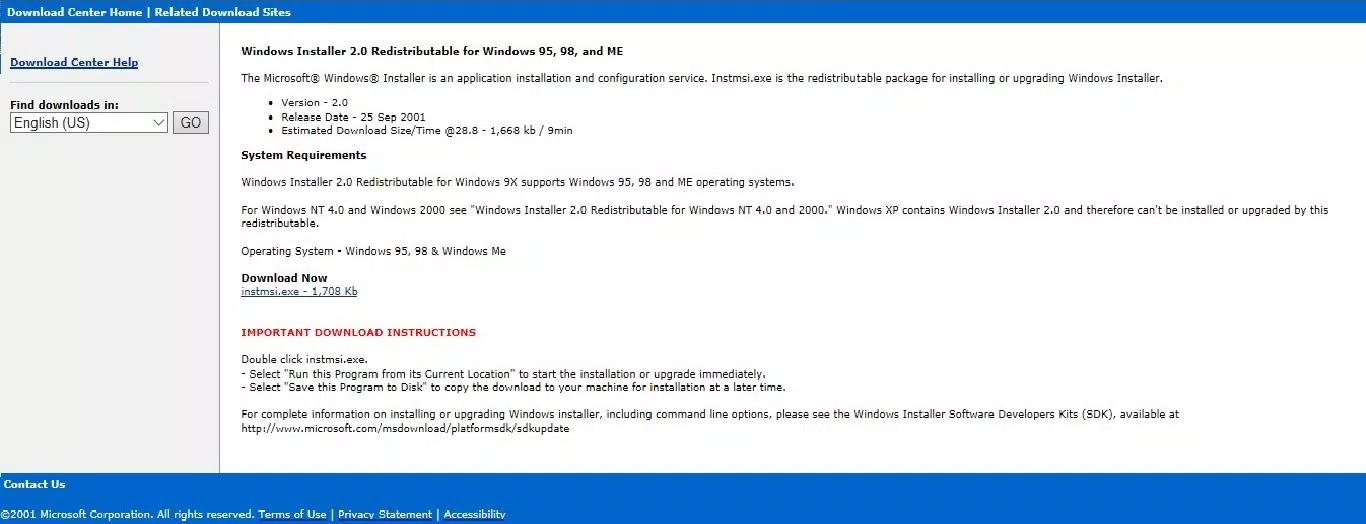
Windows Installer (Windows 95/98/Me) is designed for the Windows platform and is compatible with Windows 95, Windows 98, Windows Me, and Windows NT 4.0. It is distributed as a redistributable package, meaning it can be deployed alongside other software installations to ensure consistent setup behavior.
The software has a file size of 5.3 MB and is available at no cost. The version is 1.0, released on July 15, 1999. Specific requirements for processor speed, RAM, or disk space were not listed by the developer. The developer did not specify minimum OS requirements beyond the listed platforms, nor did they provide details on compatibility with newer Windows versions.
Given its age and design, it is not expected to function on modern operating systems without emulation or compatibility layers. Users seeking to run this tool today may require legacy hardware, virtual machines, or emulated environments such as DOSBox or Windows 98SE emulators.
Pros and Cons
Pros
- Established reliability across legacy Windows systems
- Enables consistent, repeatable software installations
- Supports on-demand component installation, saving system resources
- Facilitates application advertisement and evaluation without full installation
- Free to use and redistributable for developers and IT teams
Cons
- Not compatible with modern Windows operating systems
- Lacks a user-friendly graphical interface
- Requires legacy environments for operation
- No official support or updates since release
- Not suitable for users unfamiliar with command-line or system-level tools
FAQ
Is Windows Installer (Windows 95/98/Me) safe to download and install?
Yes, the tool is a legitimate Microsoft product and is secure when obtained from official sources. However, it should only be used in compatible environments to avoid system instability.
Can I use this tool on Windows 10 or Windows 11?
Direct installation on modern Windows versions is not supported. The tool is designed for legacy systems and may require emulation or virtualization to function.
What is the purpose of Windows Installer in software deployment?
It standardizes the installation process, manages dependencies, tracks installed components, and enables features like on-demand installation and repair, improving software reliability and maintainability.
Do I need to install this tool separately?
It is typically included as part of larger software packages or installed automatically when required by an application. It is not intended for direct end-user installation in most cases.
Is there a newer version available?
The latest version is 1.0, released in 1999. Microsoft has since replaced it with more advanced installation technologies in modern Windows systems.
Final Thoughts
Windows Installer (Windows 95/98/Me) remains a historically significant tool that transformed how software was deployed on early Windows systems. While its relevance has diminished in modern computing, it continues to serve vital roles in legacy system maintenance, software preservation, and educational contexts. Its ability to ensure consistent installations and manage software state has influenced generations of installation frameworks.
For IT professionals, developers, or enthusiasts working with vintage software environments, this tool is an essential utility. Its free availability and robust design make it a valuable asset in maintaining compatibility and system integrity across older platforms.
Download Windows Installer (Windows 95/98/Me) now


